Everything your team needs to plan, track, and report — in one place
OmniAlign brings scheduling, role-based access, KPIs, dashboards, reports, and OmniBot together in a single platform, so every team member sees the right information the moment they need it — on desktop or mobile.
One connected platform, built to keep every team aligned
Every part of OmniAlign shares the same underlying project data, so information never has to be re-entered or reconciled between tools.
One Experience, Every Device
The same dashboards, alerts, and task updates on the web portal and the mobile app — no separate product to learn.
Configurable by Your Team
KPIs, dashboards, and reports are set up and adjusted through the platform's own tools, so your team can adapt them as your business changes.
Role-Based Access
Every person sees exactly what their role needs — nothing more, nothing less — configured centrally by your admin team.
Built-In Alerts
Threshold- and event-based alerts delivered in-app, by email, or by SMS, so nothing important goes unnoticed.
Secure Document Storage
Drawings, quotes, and approvals stored securely and connected to the tools your team already trusts.
OmniBot, Built In
A conversational assistant that answers questions about your own project data, in plain language.
Every role sees exactly what it needs — nothing else
Admins, project managers, consultants, customers, and account managers each get a menu and a dashboard scoped to their responsibilities, configured centrally rather than hard-coded per screen. A person who needs more than one role can hold multiple assignments at once.
- Admin roles manage users, permissions, and platform configuration
- Project managers and consultants see their own projects, schedules, and team performance
- Customers and account managers get read access to status and downloadable reports
Admin
Full control — users, permissions, and platform configuration
Project Manager & Consultant
Their own projects, schedules, and team performance
Customer & Account Manager
Read access to status and downloadable reports
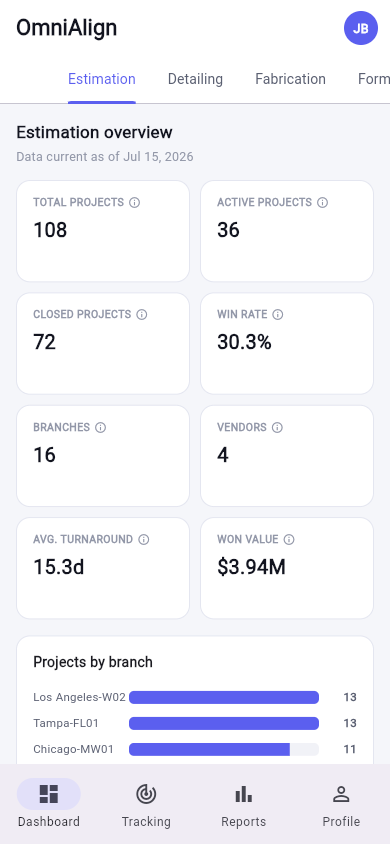
No feature gap between web and mobile — ever
Everything described across this site is available on both the web portal and the mobile app, scoped to the same role-based permissions. No feature ships to one without the other.
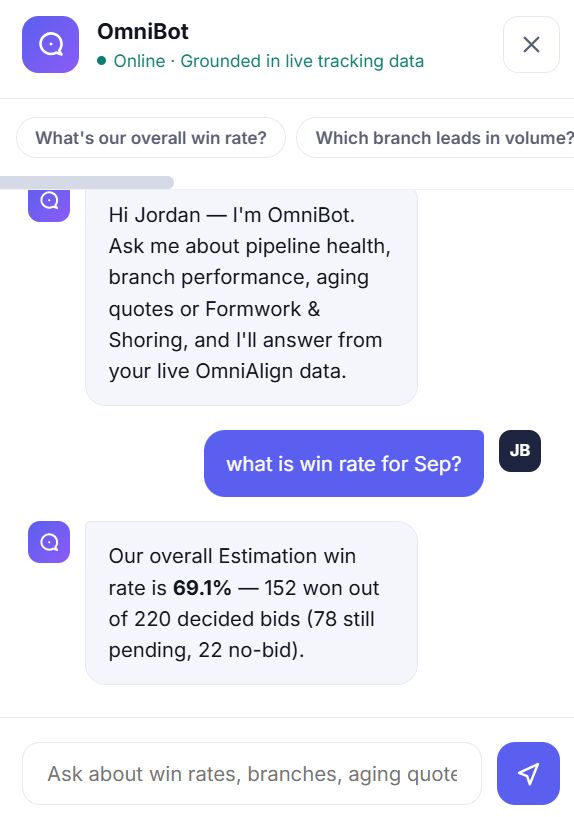
See the Mobile AppOmniBot: a conversational shortcut to any answer you're permitted to see
OmniBot answers natural-language questions about any data available in OmniAlign — projects, tasks, KPIs, dashboards, and reports — grounded in your own live tracking data.
- Every answer is scoped by the asking user's role and permissions
- Can surface the relevant chart or number directly, instead of a generic reply
- Available on both web and mobile, right where you're already working
Explore each engine in detail
Milestones & Project Management
Central scheduling, dependencies, and role-specific navigation.
KPI Engine
Configurable KPIs across every operational category you track.
Report Engine
A ready-made report catalog across every operational category.
Dashboard Configuration
Role-based dashboards, composed from KPI widgets.