One Platform.
Every Project.
One Truth.
OmniAlign unifies project management, tracking, and analytics into a single governed system of record for civil project teams — from bid to release, on web and mobile.
Every project leaks time, money, and trust somewhere
Talk to any civil project leader and the same frustrations surface — regardless of company size or project type.
“Our reports take days to compile and are outdated the moment they land in an inbox.”
“Schedules live in a dozen spreadsheets — nobody has the full picture at once.”
“Every project seems to end in a budget conversation nobody saw coming.”
“Planning and reporting run in tools that don't talk to each other.”
Two engines. One system of record.
OmniAlign is built around two tightly integrated engines that share the same underlying project data — so nothing gets re-keyed, lost, or out of sync.
Plan & Execute Engine
Project Management Core, User & Profile Management, and enterprise-grade Secure Storage keep every schedule, quote, and drawing aligned to one master timeline.
Measure & Decide Engine
The KPI Engine, Report Engine, Dashboard Configuration, and Civil Project Analytics turn raw project data into confident, real-time decisions.
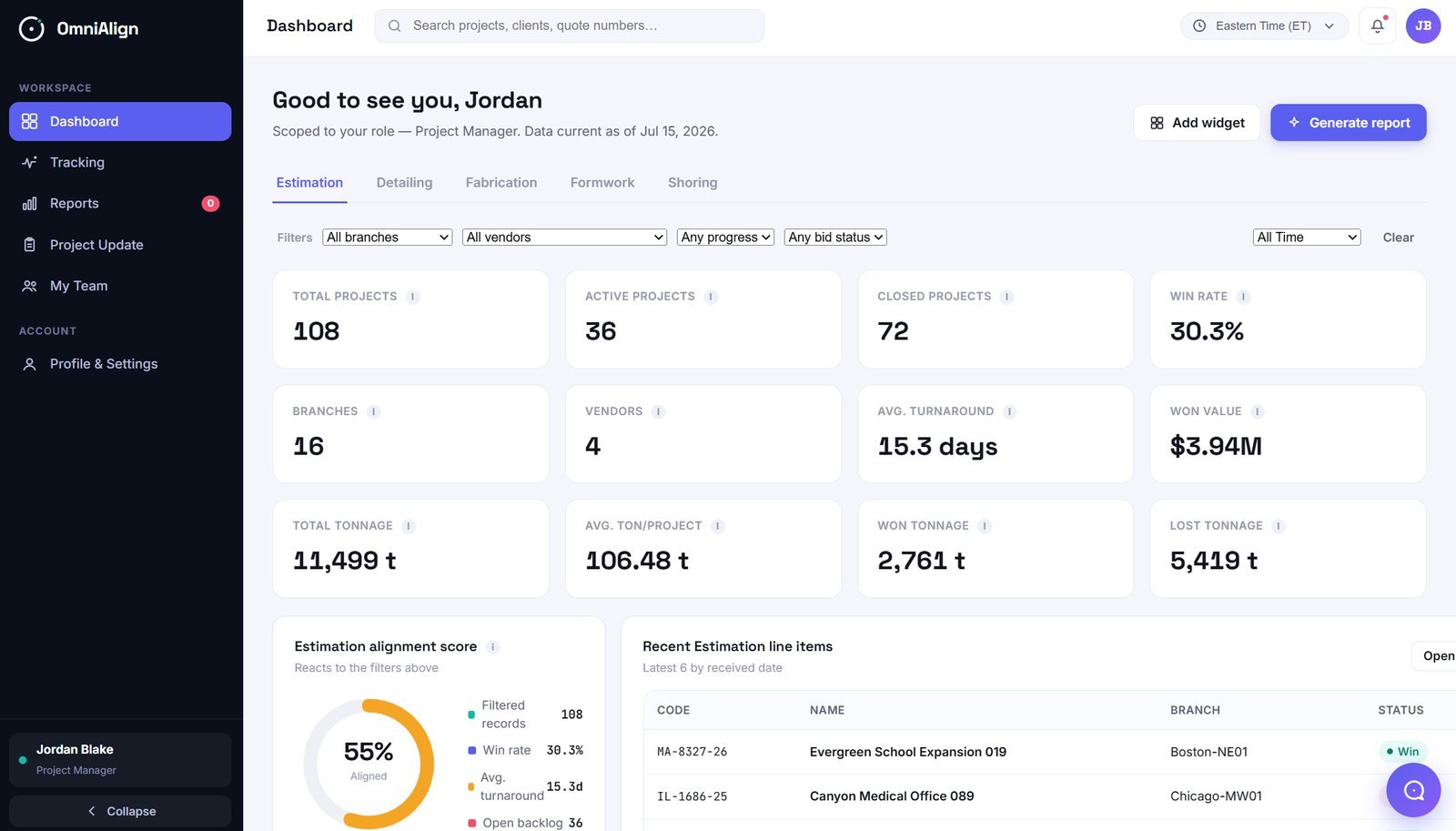
What a governed system of record looks like in practice
Representative figures from a live OmniAlign deployment — your own KPI targets are fully configurable in the KPI Engine.
Core capabilities that grow with your team
OmniAlign's KPIs, dashboards, and reports are configured through the platform's own builder tools by your team — not through one-off development projects.
Login & Authentication
Microsoft Entra ID (SSO) plus OmniAlign's native authentication for enterprise and standalone customers alike.
Role-Based Access Control
Every role sees only the data and screens relevant to its function, configured centrally and applied automatically.
Available in Web and Mobile App
One consistent experience on desktop and mobile — dashboards, tracking, and reports stay in sync wherever your team is working.
Analytics Interface
Project and portfolio analytics that turn raw data into decisions, with OmniBot available to answer questions in plain language.
Audit & Activity Logging
Every login, modification, and update logged with metadata for quality control and audit.
Landing Page & Navigation
Universal search, time-zone handling, profile management, and a centralized alerts panel.
Role-Specific Menus
Tailored Dashboard, Analytics, Reports, Team, and Performance views for every role.
KPI Engine
Create and adjust the KPIs that matter to your team, from any project data — no engineering ticket required.
Widget & Dashboard Engine
Compose KPI tiles, charts, and tables into role-specific dashboards to match how each team works.
Report Engine
One-time or scheduled reports from any data source or KPI, with tables, charts, and summaries.
Alert Engine
Threshold- or event-based alerts, auto-triggered and delivered via in-app, email, or SMS.
AI Assistant (OmniBot)
A conversational assistant that answers natural-language questions, scoped to what the asking user can see.
A low-risk path that proves value before you scale
No big-bang rollout. OmniAlign is adopted in four phases, in weeks — not months.
Understand
Audit the Client's routine workload, systems, and current process gaps.
Setup
Configure OmniAlign, integrations, and team access.
Pilot
Focused, hands-on support on a single priority process to prove the model.
Scale
Expand the extended desk across pillars in line with your business.
Security and governance, by design
Role-based access, encryption, and full audit trails — not an afterthought bolted on later.
Data Isolation
Every customer's data is kept separate and scoped by branch, customer, and role.
MFA & Session Control
Multi-factor authentication on every login path, with configurable idle-session timeouts.
Encrypted, End to End
Data encrypted at rest and in transit across every environment, production and staging alike.
Full Audit Trail
Every login, modification, and update logged and downloadable by Admin-category roles.